AI Voice Changer - Prankster
- CategoryEntertainment
- PlatformAndroid
- Rating3.6 / 5
- Downloads1M+
- AgeNot listed
- SizeNot listed
A closer look at AI Voice Changer - Prankster. Ever wanted to trick your friends with a silly voice or add a spooky touch to your stories? 🎙️ With just a few taps, this app transforms your voice into hilarious characters or atmospheric settings! Imagine turning everyday recordings into viral TikTok clips or adding professional-level voiceovers to your videos.
Who it may suit. 🎬 Users love how easy it is to create unique content, with over 100,000 downloads and endless shared laughter. 😂 Ready to unleash your creativity and have a blast? 🎉
Voice Effects
Instantly alter your voice with a vast library of hilarious effects like robot, chipmunk, or creepy monster. Perfect for pranks, content creation, or just fun, this feature lets anyone sound like someone (or something) else! 🤖
Ambient Sounds
Set the scene with immersive ambient sounds such as rain, a busy street, or a eerie cave. Enhance your recordings or videos by transporting listeners to different environments, adding depth and atmosphere to your audio projects. 🌳
Audio Editor
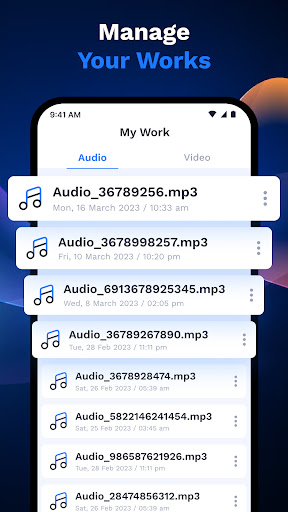
Precisely apply voice effects and background noises to specific parts of your recordings. This granular control allows for professional-quality edits, letting you fine-tune each segment for maximum impact and enjoyment. 🎚️
The extensive selection of voice effects is incredible, offering everything from subtle pitch adjustments to completely unrecognizable characters, making it well suited to a broad selection of creative projects. Seamless integration of ambient sounds transforms basic voice recordings into immersive audio experiences, perfect for storytellers and content creators alike. The intuitive editor allows precise application of effects to specific audio segments, providing a level of control usually found in more advanced professional tools.
 Google PlayUnavailable

















1. Review the app information and screenshots.
2. Choose the download option for your device.
3. Follow the instructions on the store or distributor’s page to install AI Voice Changer - Prankster.