Shazam
- CategoryMusic & Audio
- PlatformAndroid, iOS
- Rating4.8 / 5
- Downloads500M+
- AgeTeen
- SizeNot listed
Shazam is listed on Google Play as a music & audio app. This SelfWander guide combines the linked listing with our practical decision criteria; it is not a hands-on performance test.
The publisher’s short description: “Find songs, concerts, lyrics & videos. Play or connect to stream music now!”. This describes the publisher’s positioning, not an independently measured result.
Choosing a listening service
For Shazam, our starting point is practical: start with the music, programmes or tools you need, then compare access limits and supported devices. A large catalogue is less useful if your favourites are unavailable.
Offline access
This is a topic raised by the Google Play listing for Shazam. If you need this away from a connection, download a small item first and try it in airplane mode. Offline viewing is different from exporting a file you can keep; check expiry and subscription conditions before relying on it.
Location and battery trade-off
This is a topic raised by the Google Play listing for Shazam. Try the location features on a familiar route before depending on them somewhere new. Check whether background location is necessary for your task, and compare battery use with the access level you allow.
Video workflow
This is a topic raised by the Google Play listing for Shazam. Use a short clip to check playback or export on your own device. Storage, upload bandwidth, quality limits and content rights can matter more than the length of the feature list.
Listening fit
This is a topic raised by the Google Play listing for Shazam. Search for the creators or programmes you actually follow before choosing a service. Check the difference between streaming, temporary offline access and permanent ownership, especially when a paid plan is involved.
Audience and privacy
This is a topic raised by the Google Play listing for Shazam. Decide who should see your profile and posts before publishing. Review discovery settings, blocking tools and account deletion options; visibility defaults may not suit a private group or a professional identity.
What the evidence does—and does not—show
The figures shown here are a dated snapshot from Google Play, checked on 2026-10-22. The score reflects store-user ratings, not a SelfWander test score. The install band is a store figure and should not be read as current active users. Regional listings, prices, availability and ratings can change; consult the linked source before deciding.
Cost and permissions before installation
Check the current store price and any subscriptions or in-app purchases. A no-cost download does not mean that every feature or service is free. Read the publisher’s privacy disclosure and terms, and grant only the permissions needed for your intended use.
Our decision rule for Shazam: continue only if the current listing matches your device and the task you want to complete. If a necessary feature, fee or support condition is unclear, resolve that on the publisher or store page before spending money or providing sensitive information.



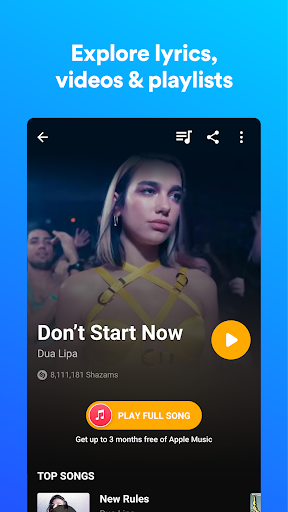


















1. Review the app information and screenshots.
2. Choose the download option for your device.
3. Follow the instructions on the store or distributor’s page to install Shazam.